One Platform. 20 Specialists. A Connected Path to Resilience.
Across six lifecycle phases, BCM Navigator guides you through building, documenting, validating, and improving your organization's resilience capabilities.
Connected specialist workflows and a dedicated Tenant Knowledge Base help carry validated information forward, so you can work toward the goals that matter to your organization.
Your teamOwner, team members and guest contributors
AssetsApplications, data, infrastructure
RisksThreats, scenarios, vulnerabilities
RegulationsCompliance, industry, reporting
Diagnostic & Orchestration Layer
Representative Specialist Sample
Business Impact Analyst
Recovery Strategy Advisor
Business Continuity Plan Developer
01Platform overview
Built Around the Way Resilience Work Actually Connects
Business continuity is not a series of isolated documents. A Business Impact Analysis affects recovery priorities. Recovery priorities shape strategies. Strategies influence plans, dependencies, exercises, and improvement actions.
BCM Navigator is designed around those relationships.
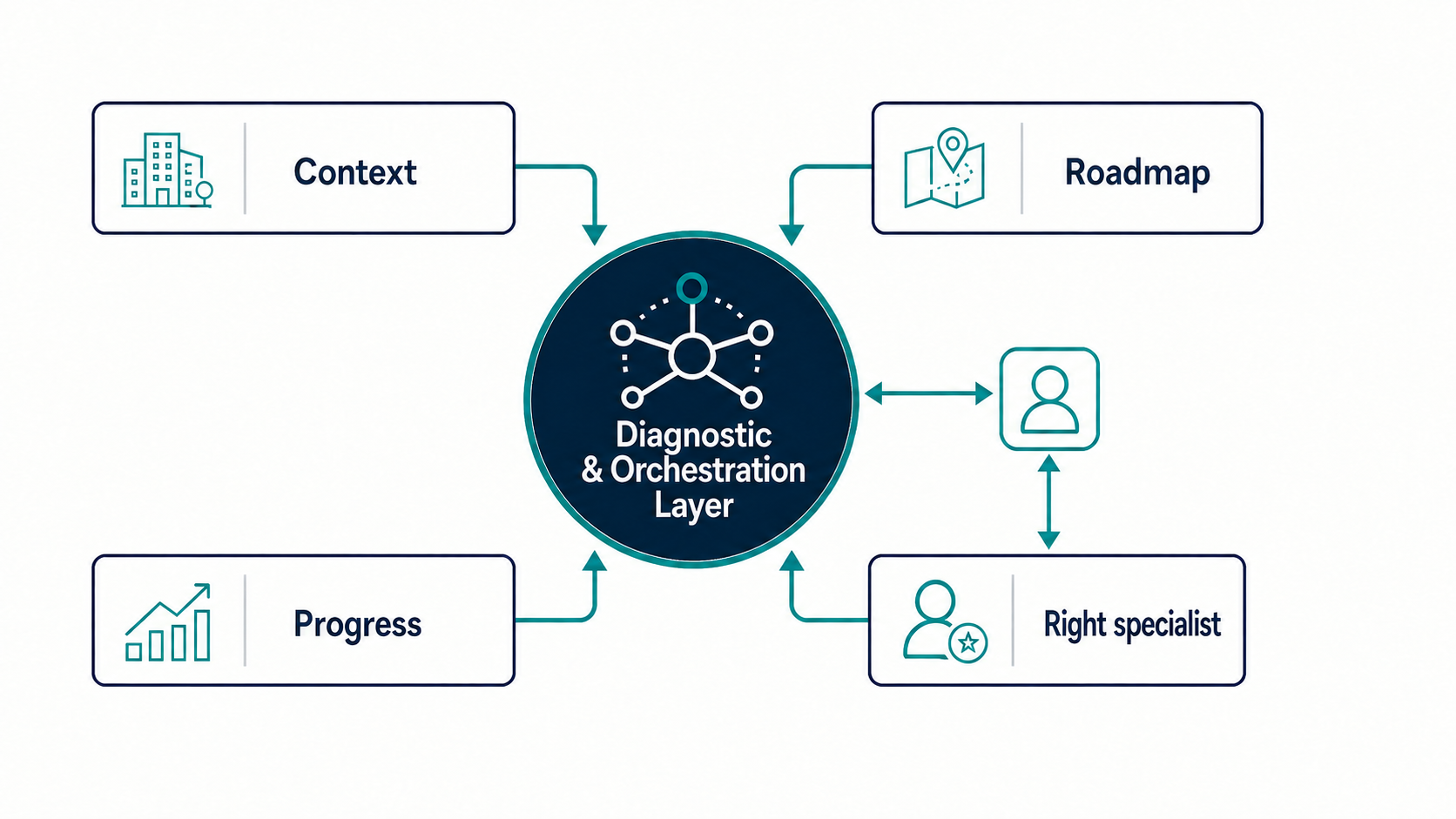
At the center of the platform is a diagnostic and orchestration layer that helps establish your context, organize your roadmap, maintain your progress, and route you to the right specialist capability.
Around it are 20 specialist agents aligned to distinct areas of the business continuity and operational resilience lifecycle. Together, they create a connected working environment rather than a collection of standalone tools.
The platform uses AI-assisted specialist guidance to support analysis, drafting, and connected progress across the resilience lifecycle.
02The 20-agent model
Specialist Guidance Across the Resilience Lifecycle
Each BCM Navigator specialist focuses on a defined part of the resilience program. The agents are grouped into six lifecycle phases so you can move from foundational planning through analysis, design, implementation, validation, and continual improvement.
Plan
Context & Stakeholder Profiler
BCMS Scope Architect
BCM Policy Designer
Governance & Leadership Advisor
Resource & Competence Planner
Analyze
Business Impact Analyst
Risk Assessment Specialist
Risk Treatment Planner
Resource Dependency Analyst
Design
Recovery Strategy Advisor
Crisis Management Framework Designer
Crisis Communication Planner
Implement
Business Continuity Plan Developer
Disaster Recovery Planner
Supplier Resilience Assessor
Validate
Exercise & Validation Designer
BCMS Auditor
Improve
Continual Improvement Manager
Management Review Advisor
Compliance & Maturity Assessor
Selected lifecycle phase: Plan.
BCM Navigator includes every specialist agent as it launches and all six lifecycle phases. The resilience objective your organization is working toward determines how you apply the platform, not which agents you can access.
Whether you're building a BCMS from the beginning, improving existing arrangements, or tackling a specific business continuity challenge, BCM Navigator helps you begin with what matters most.
Explore three broader goals below, or start with a specific objective. You can also describe your own goal.
Every subscription includes every specialist agent as it launches.
01
Essential Recovery Capability
For organizations that need the practical foundations for survival, response, and recovery.
Use BCM Navigator to establish critical activities, analyze impacts and risks, define recovery priorities, and build practical continuity and disaster recovery arrangements.
02
Structured Operational Resilience Framework
For organizations ready to move beyond individual plans and create a coordinated resilience program.
This objective can include broader governance, dependency analysis, communications, supplier resilience, exercising, and other capabilities required to manage resilience as a connected framework.
03
Comprehensive BCMS Alignment
For organizations building or maintaining a complete business continuity management system.
This objective can include the full lifecycle, including governance, internal audit, management review, continual improvement, and maturity assessment.
You Can Also Start With a Specific Objective
You do not need to undertake an entire BCMS program to get started. BCM Navigator can help you focus on a particular piece of work.
Review existing BCM documentation.
Conduct a Business Impact Analysis.
Develop or revise Business Continuity Plans.
Assess supplier resilience.
Design a BCM exercise or test.
Assess ISO 22301 readiness.
Have a different goal? Describe your objective in your own words. Your starting point does not limit your access to the platform's specialists.
Your Organizational Knowledge Stays Connected to Your Work
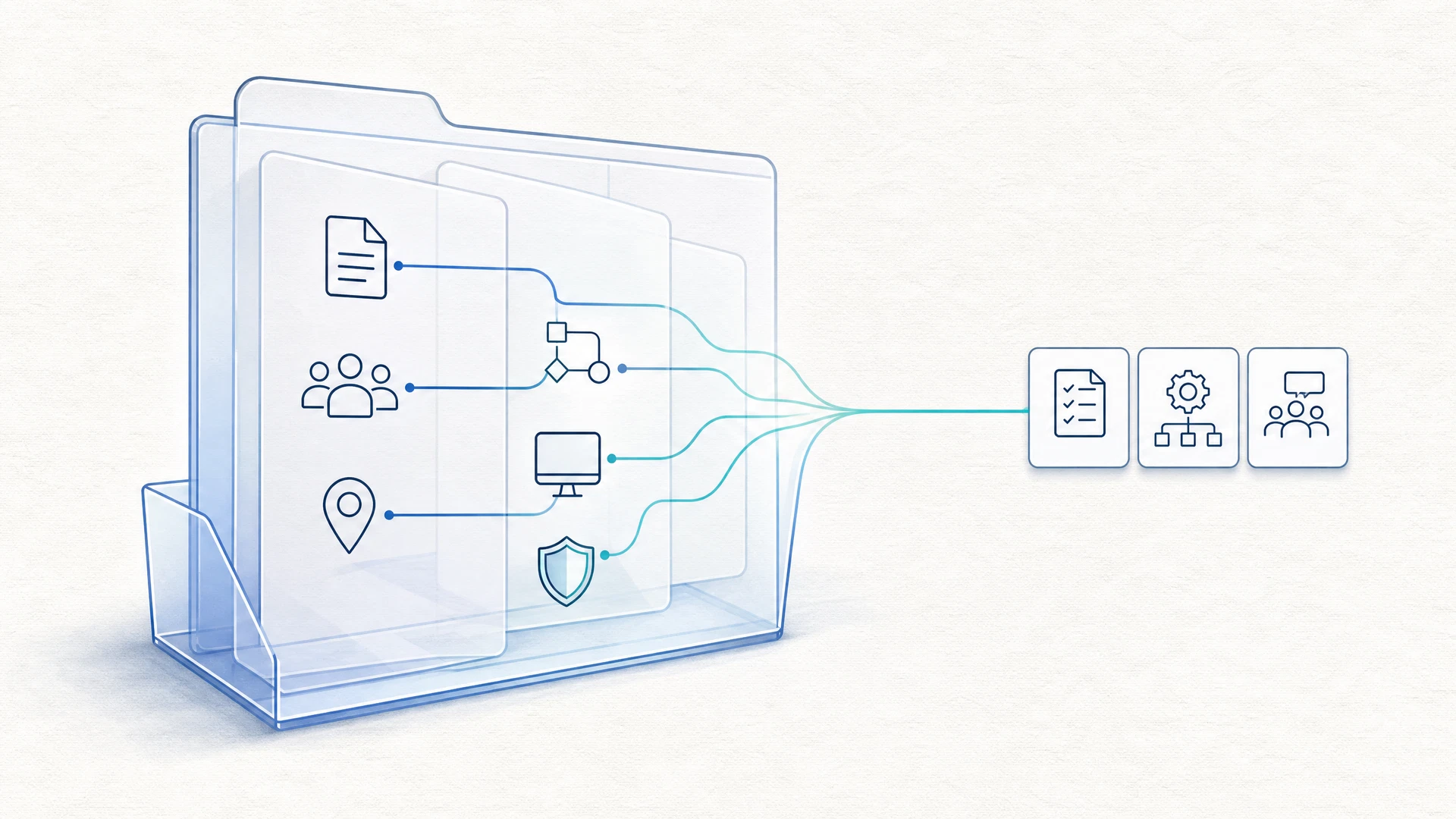
BCM Navigator maintains a dedicated Tenant Knowledge Base for your organization. This knowledge base stores validated organizational information and finalized outputs created through your BCM Navigator workflow.
It can include information such as:
organizational parameters
critical functions and activities
business impact information
risks and treatments
dependencies
recovery strategies
validated planning information
finalized deliverables
As you move between relevant specialist agents, that validated context can be carried forward so you do not have to repeatedly re-enter the same information.
Your Tenant Knowledge Base is specific to your environment and is not shared with other organizations; it is visible only to people your Owner invites to the workspace.
One Organization. One Connected Source of Context.
This allows later work to build on decisions and information already established earlier in the resilience lifecycle. Instead of treating every BIA, risk assessment, strategy, or plan as an isolated exercise, BCM Navigator keeps the relationships between them visible.
05Existing documents
Bring Your Existing BCM Work Into the Platform
Starting with BCM Navigator does not mean starting from zero. If your organization already has policies, Business Impact Analyses, continuity plans, recovery documents, or other resilience material, relevant specialist agents can work with that existing content.
The platform can route existing documents into a document assessment and gap-checking workflow so you can determine what is usable, what needs improvement, and what is still missing.
Documents in areas covered by available specialists are assessed now; others are kept and reviewed as each specialist launches.
That means you can build on existing investment instead of automatically replacing it.
Move Forward Without Losing the Ability to Revisit Earlier Decisions
Resilience work is rarely perfectly linear.
A later activity may uncover information that changes an earlier assumption.
For example, dependency analysis may reveal an important process dependency that was not captured during the original Business Impact Analysis.
BCM Navigator is designed to support that kind of iteration.
Relevant findings can send you back to an earlier area of the workflow so the underlying information can be corrected before you continue.
Once the earlier information is updated, related downstream work can be reviewed again.
The result is a workflow that reflects how resilience programs actually develop: iteratively, with new information improving earlier decisions.
07Connected change management
When One Decision Changes, BCM Navigator Helps You See What Else May Need Attention
Resilience programs change as organizations change. A critical activity may be reclassified. A recovery objective may change. A dependency may be added. A supplier arrangement may be replaced.
Those changes can affect work completed elsewhere in the program.
BCM Navigator is designed to track those relationships.
If an upstream parameter changes, relevant downstream areas can be flagged for review rather than quietly remaining unchanged.
For example, changing recovery requirements established during business impact analysis may mean that dependency analysis or recovery strategies need to be reviewed.
Business Impact Analysis changes
→
Dependency detected
→
Affected downstream work
→
Needs Review
This helps you maintain the program as a connected capability rather than a collection of documents that gradually fall out of sync.
Change impact, with the reason
Grows as specialists launch
When a fact changes, such as a supplier, a key person, a system, a site or a recovery objective, BCM Navigator names which documents may now be out of date and why, and sends them back for revision and re-approval.
08Persistent progress
Resilience Programs Take Time. Your Progress Should Not Disappear.
BCM Navigator is designed for work that may continue across days, weeks, or longer. The platform maintains both overall progress and more detailed checkpoints so you can stop and return without losing your place.
your selected resilience objective and billing duration
overall roadmap
specialist-agent status
current position in the workflow
completed milestones
Within an individual specialist workflow, BCM Navigator can preserve draft inputs and intermediate steps so you can continue from the point you reached.
When you return, the platform can resume the relevant workflow with the appropriate organizational context already available.
09Show your resilience
Prove Your Resilience With Your Own Approved Records
The approved records that keep your plan current can also answer the continuity questions customers and regulators ask, and can be shared when you choose.
Questionnaires answered from your own records
Grows as specialists launch
Regulator and customer continuity questionnaires, supplier due diligence and tenders are answered from your organization’s own approved records. A person reviews every answer, and the response is signed off before it is exported.
A Resilience Profile you choose to share
Available now
An optional page, off by default, that shows the people who rely on you your current approved continuity information, with dates. It is published after a Sponsor approves it, and its link can be revoked at any time.
For consultants
One login holds many client organizations. Each client organization has its own workspace and needs its own plan, so its records stay separate from every other client’s.
For BCMS owners, CISOs, compliance and risk managers
For medium-to-large organizations that need a continuity program that stays current as the business changes, and approved records that answer customers and regulators.
10Standards and framework alignment
Standards Provide the Structure. BCM Navigator Helps You Do the Work.
BCM Navigator’s architecture draws on recognized standards and resilience frameworks. The goal is not to make you navigate standards language before you can make progress.
BCM Navigator uses that structure behind the workflow while presenting the work in practical terms that business continuity, risk, compliance, security, and IT professionals can use.
ISO 22301
ISO 22313
ISO 22317
ISO 31000
ISO 27031
ISO 22398
ISO 19011
DORA
NIS2
APRA CPS 230
SAMA BCM
CBUAE Rulebook
11Platform states
Know What Is Done, What Comes Next, and What Needs Attention
BCM Navigator uses clear workflow states to help you understand where each specialist area stands.
Selected workflow state: In progress.
Completed areas remain available so you can return to them when your organization, assumptions, or resilience requirements change.
12Questions before you start
What Should You Know Before Using BCM Navigator?
Is BCM Navigator just a set of AI-generated templates?
No. Templates may form part of individual deliverables, but the platform is built around guided specialist workflows. The purpose is to help you gather the right information, work through decisions, develop outputs, validate them, and keep related parts of your resilience program connected.
Does BCM Navigator make BCM decisions for my organization?
No. BCM Navigator supports professional judgment rather than replacing it. The specialist agents provide structured guidance, analysis, prompts, and drafting support. Your organization remains responsible for validating information, making decisions, approving outputs, and determining what is appropriate for its circumstances.
Do I need to implement ISO 22301 to use the platform?
No. BCM Navigator includes every specialist agent as it launches and all six lifecycle phases. You can focus on essential recovery capability, develop a structured operational resilience framework, or work toward comprehensive BCMS alignment as the resilience objective your organization is pursuing.
What happens if our organization changes after we complete part of the program?
You can return to completed areas and update them. When an upstream change affects dependent work, BCM Navigator can flag related areas for review so the program can be updated coherently.
Is our Tenant Knowledge Base shared with other organizations?
No. Your Tenant Knowledge Base is specific to your environment and is not shared with other organizations; it is visible only to people your Owner invites to the workspace.
Stop managing business continuity as a collection of separate documents and disconnected exercises. BCM Navigator gives you specialist guidance, persistent organizational context, and a structured path through the work.